
Release 3.20
Note: Feature availability varies by retailer program, channel, and advertiser access. See each section below for details, or contact your account manager for more information.
1. New Retailer Budget Match Module
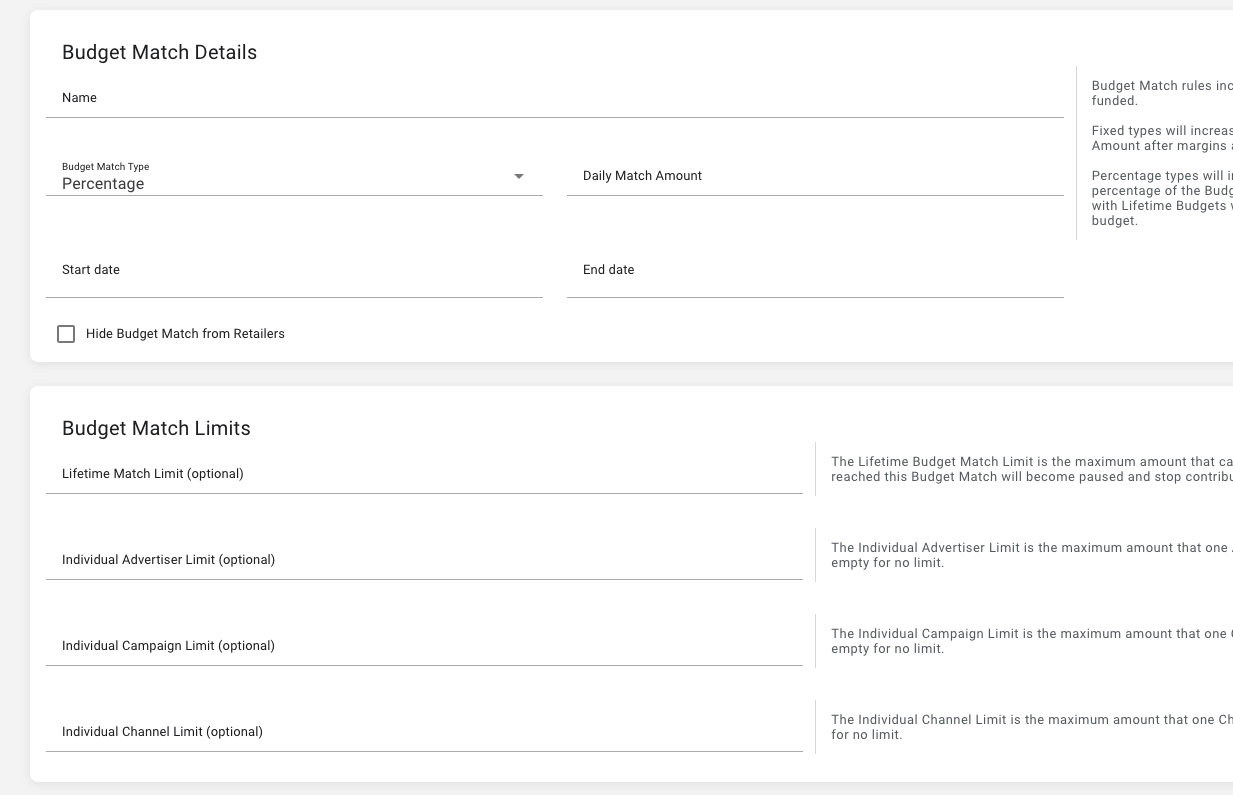
Budget Match has been moved out of the Collaborative Bidding Strategies module and into a new, dedicated Budget Match module. The new module provides retailers with more flexibility and control when managing advertiser budget match settings.
This dedicated module unlocks several new capabilities:
-
Support for lifetime budget campaigns.
-
Expanded budget match limit options.
-
Ability to apply budget match as a percentage or fixed amount.
-
Improved visibility into the applicable campaigns.
Retailer Campaign Workflow Budget Match Updates
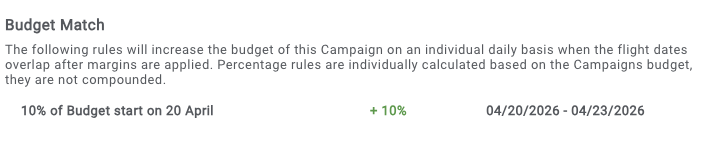
Within the retailer campaign management workflow, a new section is added in the Budget and Bidding step to designate budget match scenarios that apply to the campaign.
Retailer Budget Match Reporting Improvements
The Retailer Budget Match Channel Cost is a new, optional reporting column within the retailer Campaigns report. This field reflects the retailer spend driven by budget match scenarios managed via this new Budget Match module.
2. Miscellaneous improvements and bug fixes, including but not exclusive of the following:
-
Retailer Campaign ID 3: Introduced a new, optional field in the retailer campaign workflow to support enhanced campaign classification for growing retailer programs. When used, the field appears in the campaign summary and Campaigns reporting. All Retailer Campaign ID fields remain hidden from advertisers.