
Release 3.16
Note: Some of these features may not be available in your retailer’s offsite media program. Please contact your account manager for more information.
Meta Static Image/Video Carousels: A new static Carousel ad format is now available for eligible advertisers activating catalog-off Meta campaigns. This carousel uses multiple static images or videos to build a sequence of cards that a viewer can engage with using the left and right arrows of the ad.
To activate this ad format, advertisers build a new Asset Group on the Assets tab within their campaign workflow.
-
The Asset Group must contain between 2 and 10 approved assets.
-
Assets can be sorted in sequence using drag and drop or they can be removed from the group altogether.
-
Assets can also be added and removed from the group, and the same asset can be used in multiple groups.
-
The Primary Text from the first asset will be used for the text that appears above the carousel in the ad.
-
Each asset’s unique Headline, URL, and CTA is used for each card in the carousel.
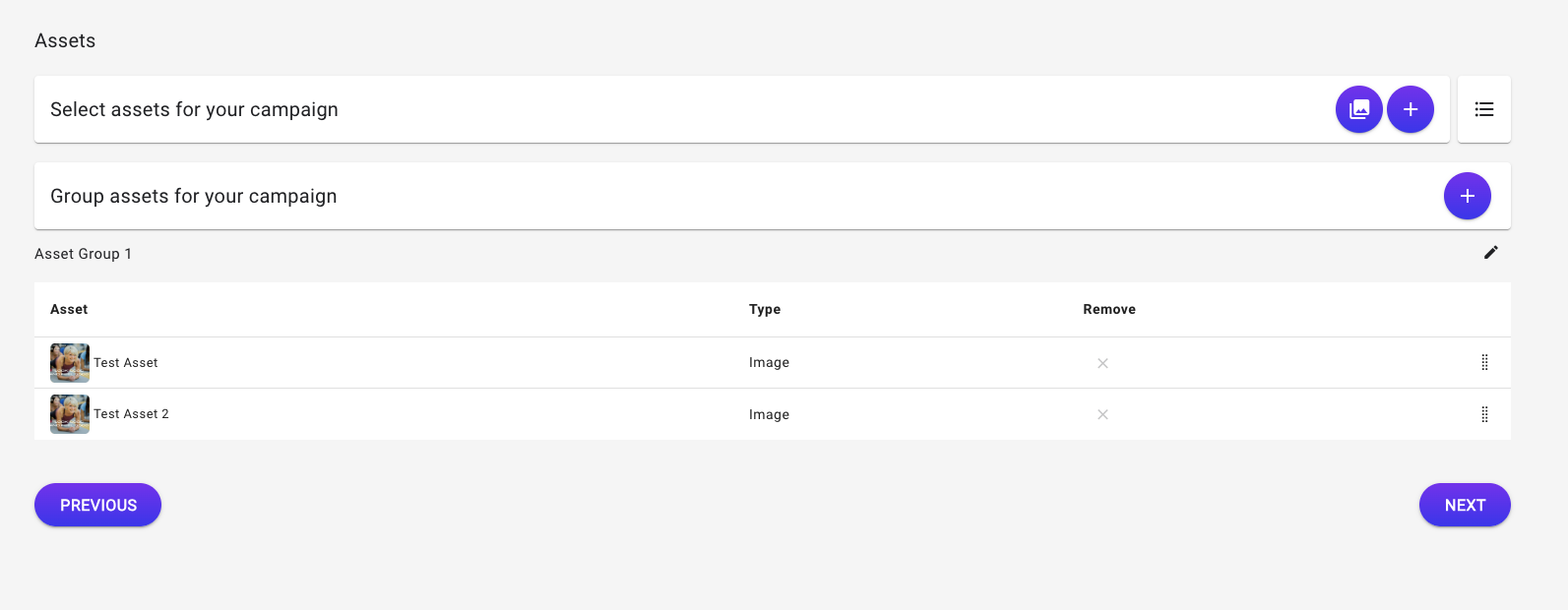
Once the Asset Group is created in the campaign, it can be enabled within the Meta tab under the ad group as shown below. An asset group can be paused on the ad group when editing the campaign.
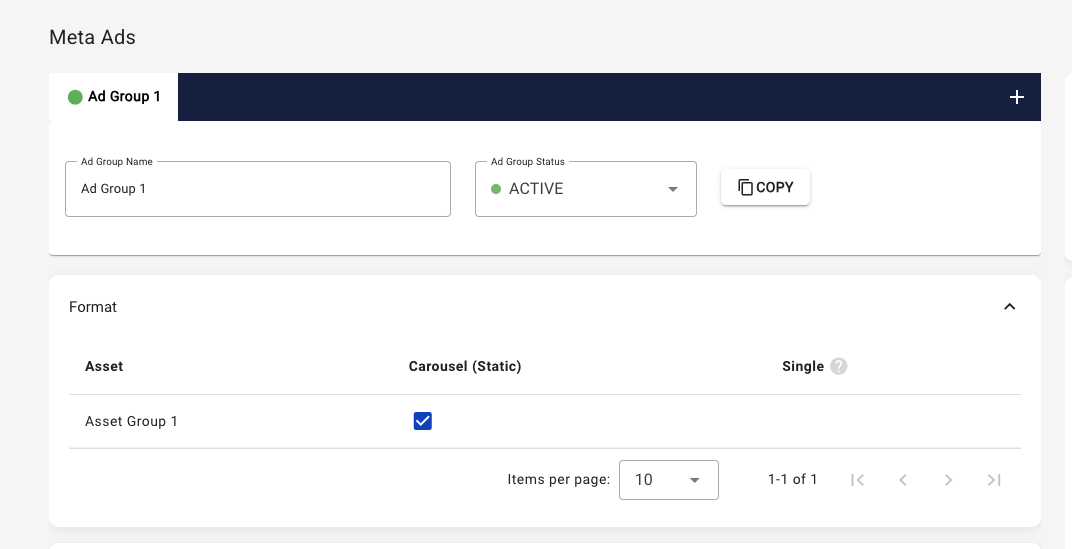
Note: The catalog must be turned off on Traffic and Sales objective campaigns in order to see the Static Carousel and Asset Group options.