
Release 4.3
Note: Feature availability varies by retailer program, channel, and advertiser access. See each section below for details, or contact your account manager for more information.
What’s New
-
Enhanced Insertion Orders and Promoted Products reporting with improved navigation, KPI tracking, and report exports
-
Budget recommendations for DoorDash on-site ads utilizing a daily budget
1. Reporting & Insights: Enhanced Reporting Experience for Promoted Products and Insertion Orders
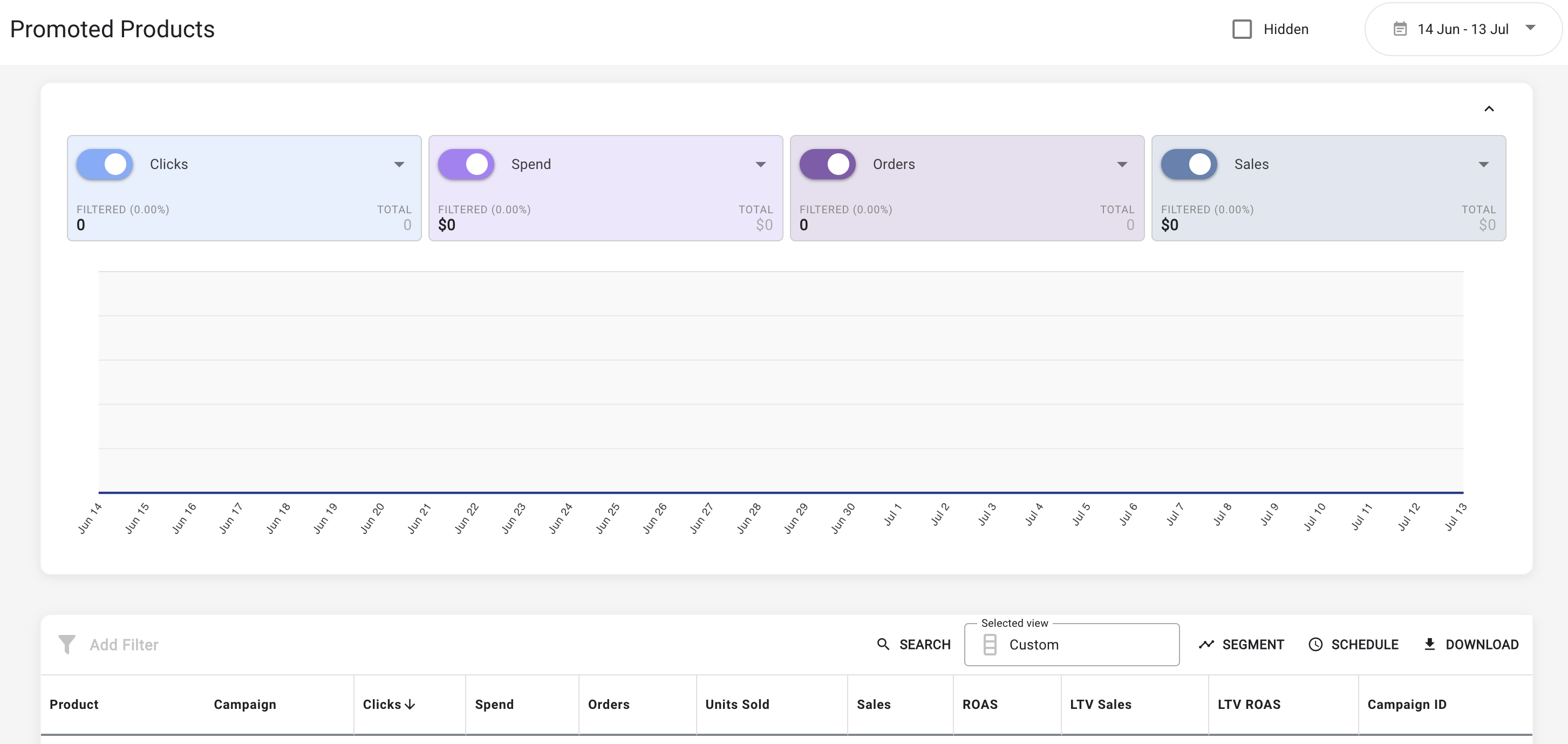
The reporting table and data visualization have been upgraded to improve report load times, streamline KPI tracking, and simplify table navigation.
Scorecards and Data Visualization
-
Choose up to four scorecard metrics to keep your most important KPIs in focus.
-
Scorecards and data visualization can now be collapsed to create more workspace for large reporting tables.
Reporting Table and Menu Options
-
Table header and footer rows remain visible while scrolling through results.
-
The column selection menu displays column type and description clearly, eliminating the need to hover over labels.
-
Reporting tables display segmented data more clearly when metrics are unavailable at detailed levels.
Report Downloads
-
Downloaded reports, including scheduled report exports, now include the following improvements:
-
Row number index column (column 0) is removed.
-
Filtered totals row is now included.
-
Cleaner formatting.
-
Availability:
-
Promoted Products - most retailers and advertisers will have this enabled; please reach out to your account manager to confirm availability for your specific program.
-
Insertion Orders - select retailers with Insertion Orders enabled
2. Performance Optimization: DoorDash On-site Daily Budget Recommendations and Hours Live per Day
For live DoorDash on-site campaigns with daily budgets, you can now view daily hours live and budget recommendations directly in the campaign sidebar. These insights help you identify campaigns that may be constrained by budget and improve their reach.
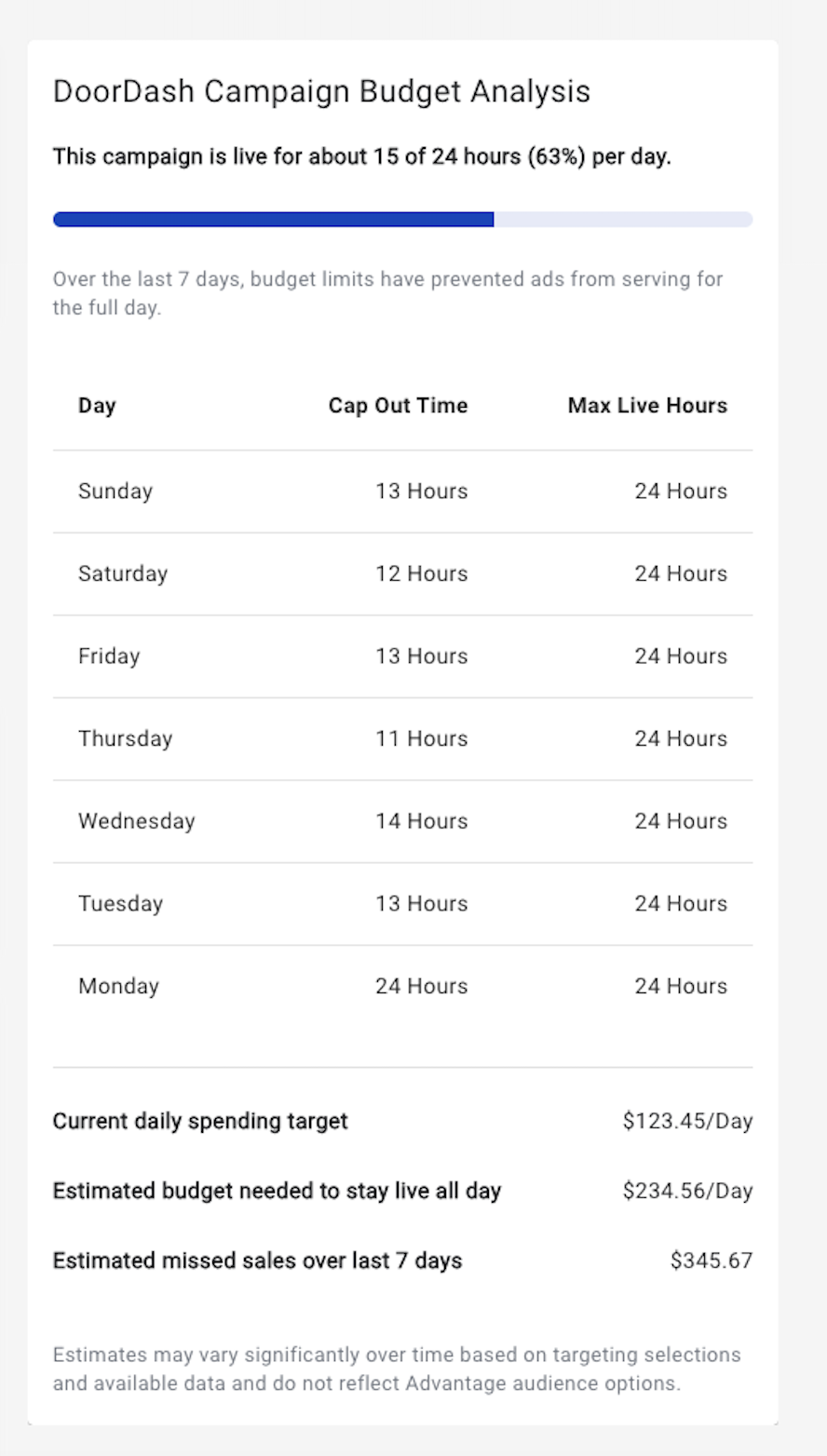
This feature is not available during campaign creation or for campaigns with lifetime budgets.
Availability: Retailers and select advertisers with access to DoorDash On-site
3. Campaign Operations: Streamlined Criteo Campaign Workflow
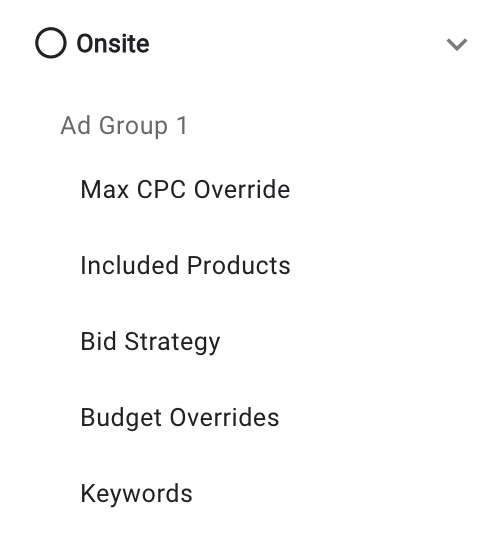
The campaign experience for on-site Sponsored Products campaigns powered by Criteo has been adjusted to improve the campaign setup and optimization workflow.
-
Follow a more intuitive sequence when configuring ad groups.
-
Manage product bid overrides alongside product-set selection.
-
Create ad groups without entering a budget override unless one is needed.
Availability: Retailers and select advertisers with access to Criteo
4. Reporting & Insights: Retailer Default Segments and Columns
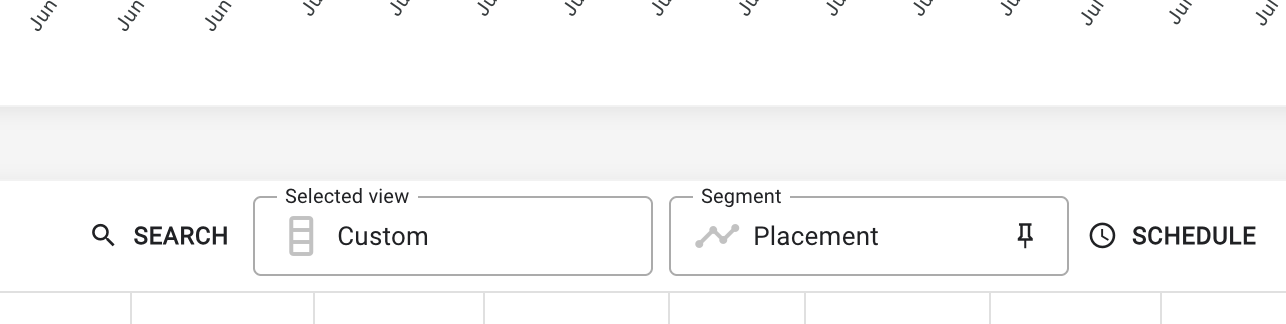
Retailer admins can now set the default segment and column view for the advertisers within their program by report. Campaigns, Promoted Products, Search Terms, and Targeted Keyword reports are currently supported.
To enable a default segment:
-
Within the report, apply the segment you want to set as the default.
-
Select the pin icon to the right of the segment name.
To enable a default column view:
-
Select the view.
-
Select columns for the view.
-
Select set retailer default columns within the view selector.
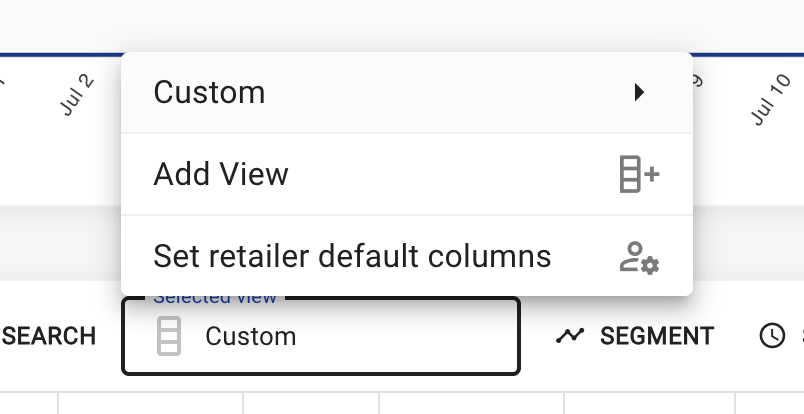
Defaults are automatically applied when advertisers open the report. Advertisers can remove or change it in their own view.
Availability: All retailer admins
Additional Improvements
Including:
-
TikTok Ad Max: A maximum of 50 ads per TikTok ad group has been set within the campaign workflow.
-
Multi-Channel Sponsored Product Campaign Budget Allocation: Use the redesigned controls and quick-edit buttons to allocate budget across channels. Retailers can also set a default allocation for your program while allowing advertisers to override it on campaign create.
-
Change History Embedded within the Campaign Workflow: Review campaign change history directly within the campaign workflow, making campaign auditing and troubleshooting easier.
-
Tool Tip and Field Validation Improvements: Several tool tips and input field validations have been modified or added to improve user experience throughout the campaign workflow.
-
Select All Asset to Ad Format Assignment: Use Select all to assign all eligible assets to an ad format in one step by selecting the three dots next to the ad format column header.
-
Criteo Campaigns Now Support Placement Segmentation: Placement segmentation available on the Campaigns, Promoted Products, and Ads reports now support for on-site Sponsored Products campaigns powered by Criteo. Placement segmentation for Promoted Products is currently supported for Criteo campaigns only.