
Release 4.7
Note: Feature availability varies by retailer program, channel, and advertiser access. See each section below for details, or contact your account manager for more information.
What’s New
-
Launch Meta Catalog On sales campaigns as part of multi-channel campaigns.
-
Optimize on-site delivery with Kevel-powered autobidding, category targeting, and eCPM optimization.
-
Gain flexibility with fully editable scheduled reports, campaign-level billing overrides, advertiser labels, and audience deletion for retailer users.
-
Integrate faster with new external API v3 audience and advertiser endpoints.
1. Channel Expansion: Multi-Channel Meta Catalog On Sales Campaigns
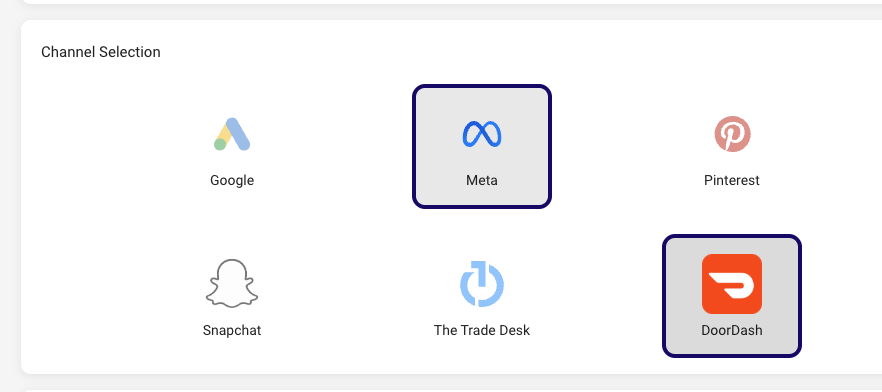
Add Meta to multi-channel campaigns for catalog-on sales. Meta Catalog On campaigns work in combination with Kevel Sponsored Products, Criteo, DoorDash Ads, and Google Shopping.
-
Catalog on ads only: Meta in multi-channel campaigns supports catalog-on ad formats.
-
Catalog asset required: A catalog asset must still be provided.
Advertiser-Level Multi-Channel Access (View Only)
Retailers can view the multi-channel combinations active for an advertiser. The setting is disabled by default for most retailers and is view-only at the advertiser level.
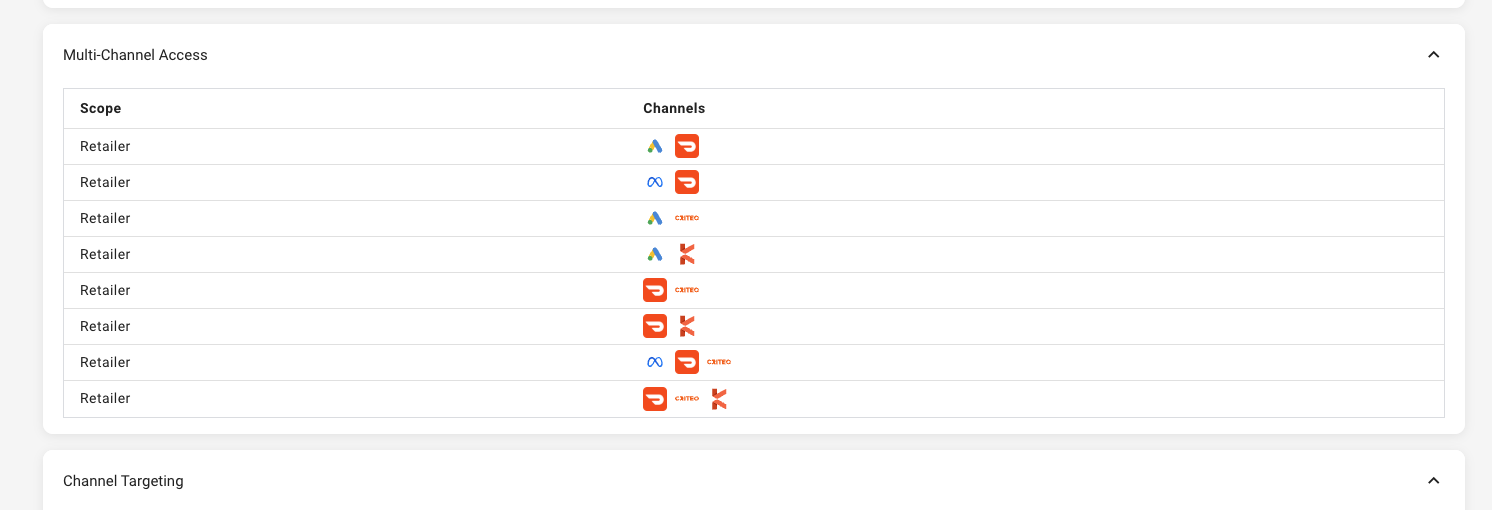
Availability: Retailers and advertisers with multi-channel and Meta channel access enabled. Advertiser-level access controls are available to retailers with multi-channel eligibility.
2. Performance Optimization: Kevel On-site Sponsored Products and Commerce Display
Gain more control over how Kevel-powered on-site campaigns bid and target.
-
Autobidding: Automatically adjust bids toward the target ROAS.
-
Category targeting: Target campaigns by category.
-
eCPM optimization: Optimize delivery using eCPM settings.
-
Bid floor dynamic updates: Bid floors update dynamically with margin awareness.

Availability: Limited to retailers and advertisers enabled on Kevel
3. Reporting & Insights: Reporting Columns and Scheduled Reports
Channel Reporting Enhancements
-
Google Search Term report: Adds sales metrics: Orders, Sales, ROAS, CPO, CVR, Average Order Value, and CPM. Available to advertisers with Google Search Term report access.
-
DoorDash Ads Keyword report: Adds an optional Brand Halo ROAS field for keyword-level performance visibility (data available from 11/3 onward). Available to advertisers with the DoorDash Ads channel enabled.
Platform Reporting Updates
-
New optional columns: ROAS Amount and Campaign Spending Limit.
-
Updated labels: “Same SKU” and “Other SKU” are now Promoted Product and Halo Product.
Scheduled Reports Edit scheduled reports directly in the UI, including selected days, columns, and sorting. Performance improvements also support smooth handling of high-volume scheduled reports.
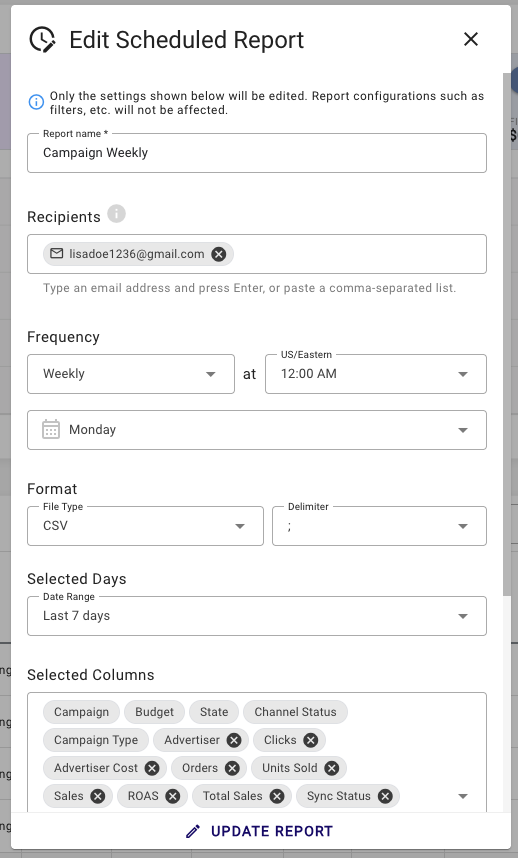
Availability: Scheduled reports and platform reporting updates are available to all retailers and advertisers
4. Audience and Advertiser Management: Audiences, Billing, and Labels
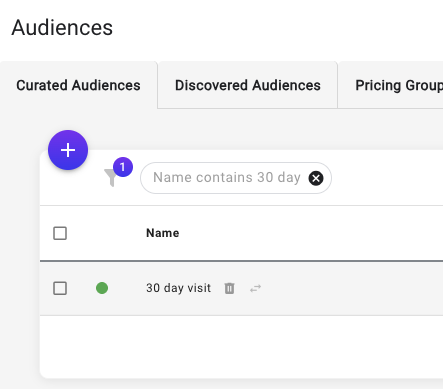
Audience Deletion for Retailer Users Delete audiences, individually or in bulk, from Audience Manager.
-
Audiences attached to active or paused campaigns can’t be deleted.
-
Audiences from ended or removed campaigns can be deleted. Deleted audiences display as “unavailable” in the campaign workflow and must be removed or replaced before relaunching.
Campaign-Level Billing Overrides Set a billing type override during the Budget step of campaign creation. Advertiser billing type can now be multi-select, with a default billing configuration.
Limited availability. Please contact your account manager for more details on setup requirements.
Advertiser Labels Assign flexible labels to advertisers for categorization and organization, with a new optional Labels column in the Advertisers report.
Availability: Audience Deletion and Advertiser Labels are available to all retailers (retailer UI only). Campaign-level billing overrides are available to select retailers and advertisers.
6. External API Enhancements
Audience and Advertiser Management
-
Audience Management endpoints: Create and rename audiences, assign advertisers, manage pricing groups, delete audiences, and share accounts.
-
Advertiser endpoints: Improved GET performance and reliability, expanded response fields, plus lookup and patch endpoints.
v2 API Deprecation
v2 endpoints are now marked as deprecated in Swagger UI, and v2 API responses include deprecation notices.
Availability: All retailers enabled on the external API.
Additional Improvements
-
Meta Traffic Catalog On retargeting audiences: Retarget audiences under Targeting > Original audience when using Catalog On.
-
The Trade Desk Predictive Clearing: Optimize bids with the new ad group–level Predictive Clearing setting.
-
TikTok improvements: Target DMAs alongside zip and city targeting, and create Sales campaigns as Smart+ campaigns (existing campaigns remain Manual).
-
Updated tooltips: Clearer help text across channels and platform tools.
-
Advertiser margin reference (retailer UI only): View advertiser margin in the campaign workflow.
-
Minimum budget visibility: The minimum budget amount is now shown in the campaign budget input field.
-
Reporting date picker: Improved date picker experience in reporting.
-
Various high-priority bugs and minor UX improvements
We are continually deploying improvements between major releases.